Transition Level
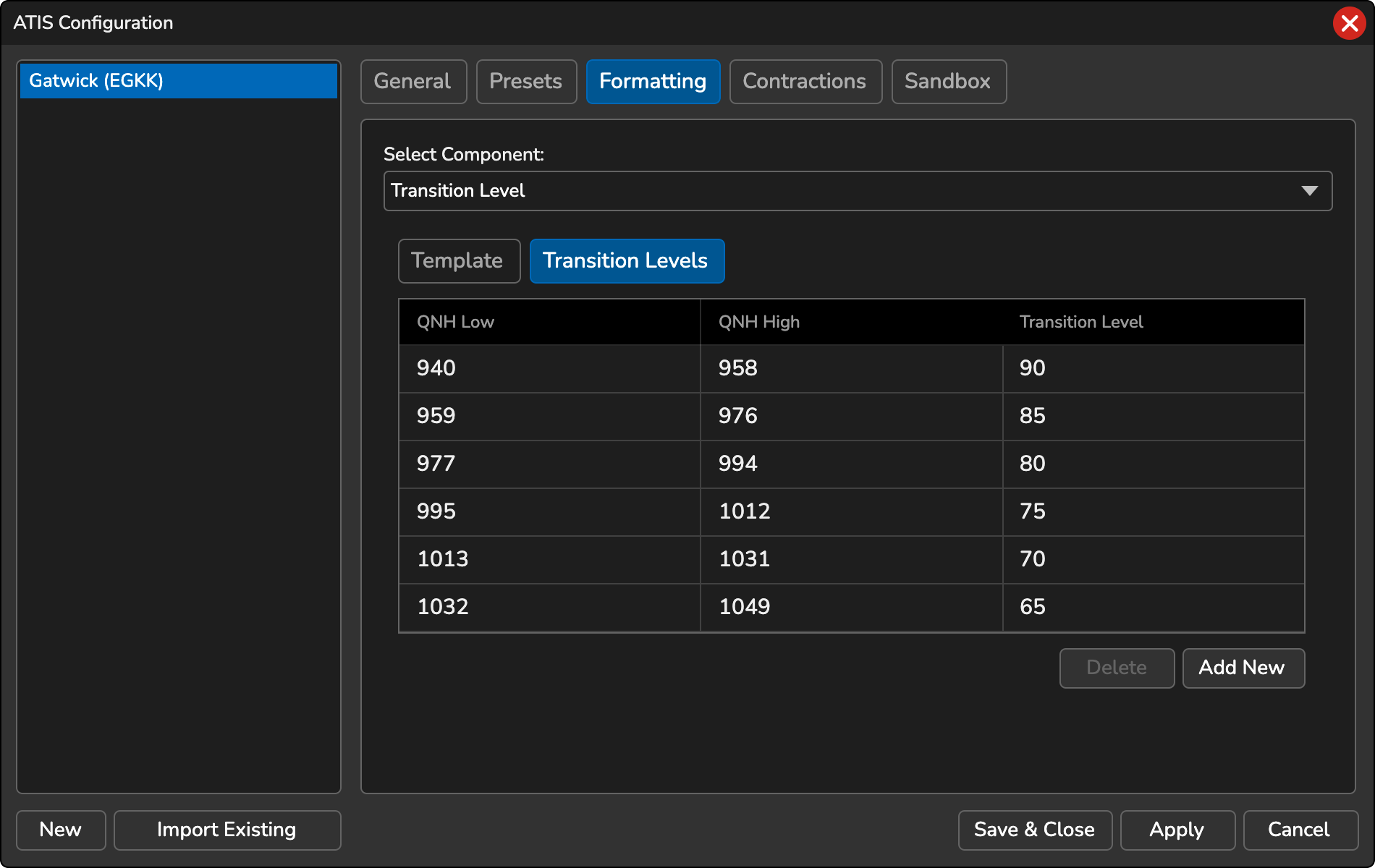
This tab is specifically visible for non-FAA ATIS stations and allows you to set a range of QNH values to determine the transition level. You can use the ATIS template variable [TL] to populate the transition level in the ATIS Preset template.
-
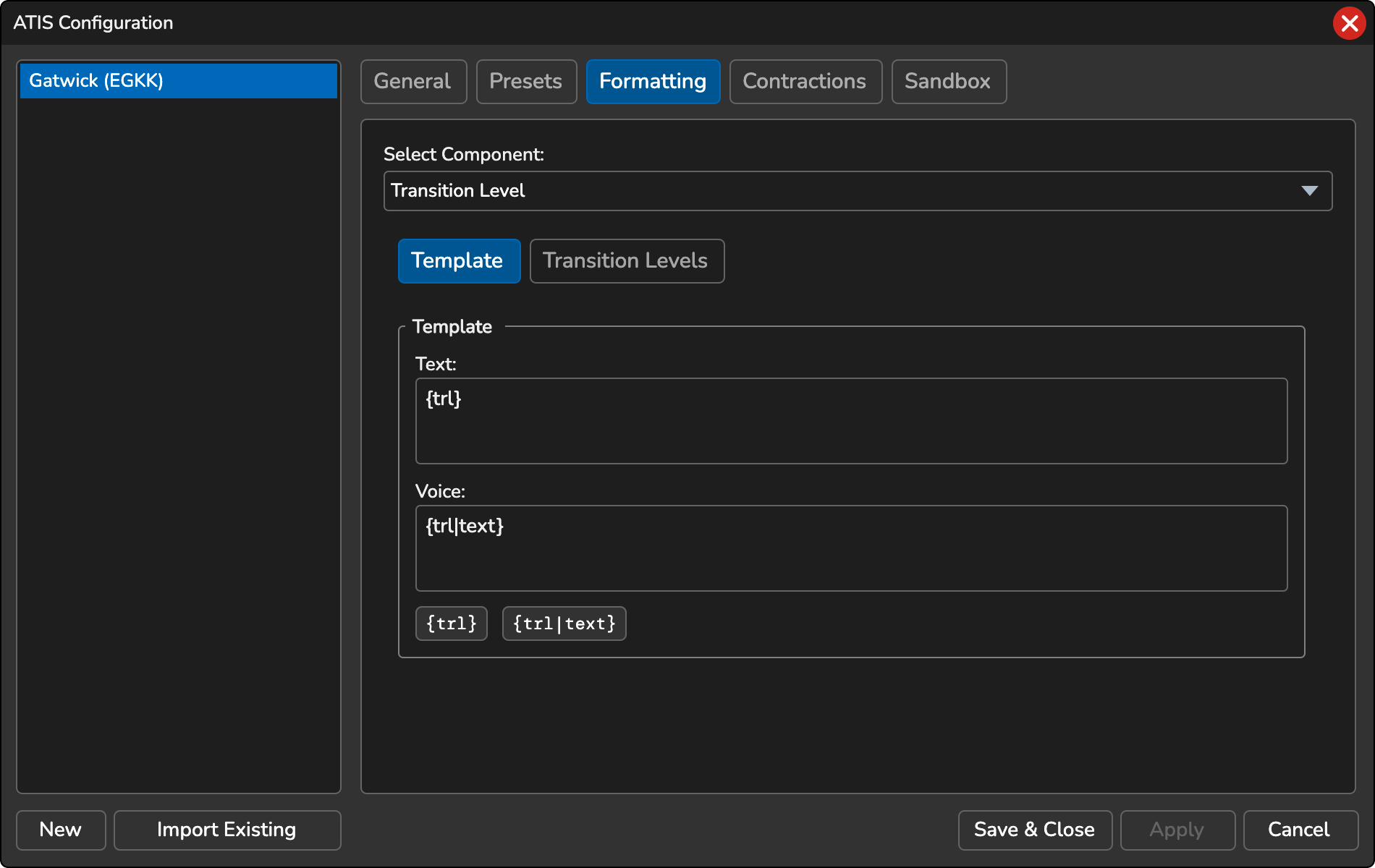
{trl}… The numerical value of the transition level altitude, for example, 65. Add:followed by#characters to zero-pad it to a number of digits, for example{trl:###}yields 065. This works in both the text and voice templates. -
{trl|text}… The transition level altitude expressed in word form, such as “SIX FIVE”
In the Transition Level table, you can define the minimum and maximum QNH values that are used to determine the transition level altitude. Both the low and high QNH values need to be specified.
- To add a new transition level, click the Add New button.
- To delete a transition level, select the level from the table and click the Delete button.